How to solve building connected wikis docs and AI workspace apps for teams with Notion
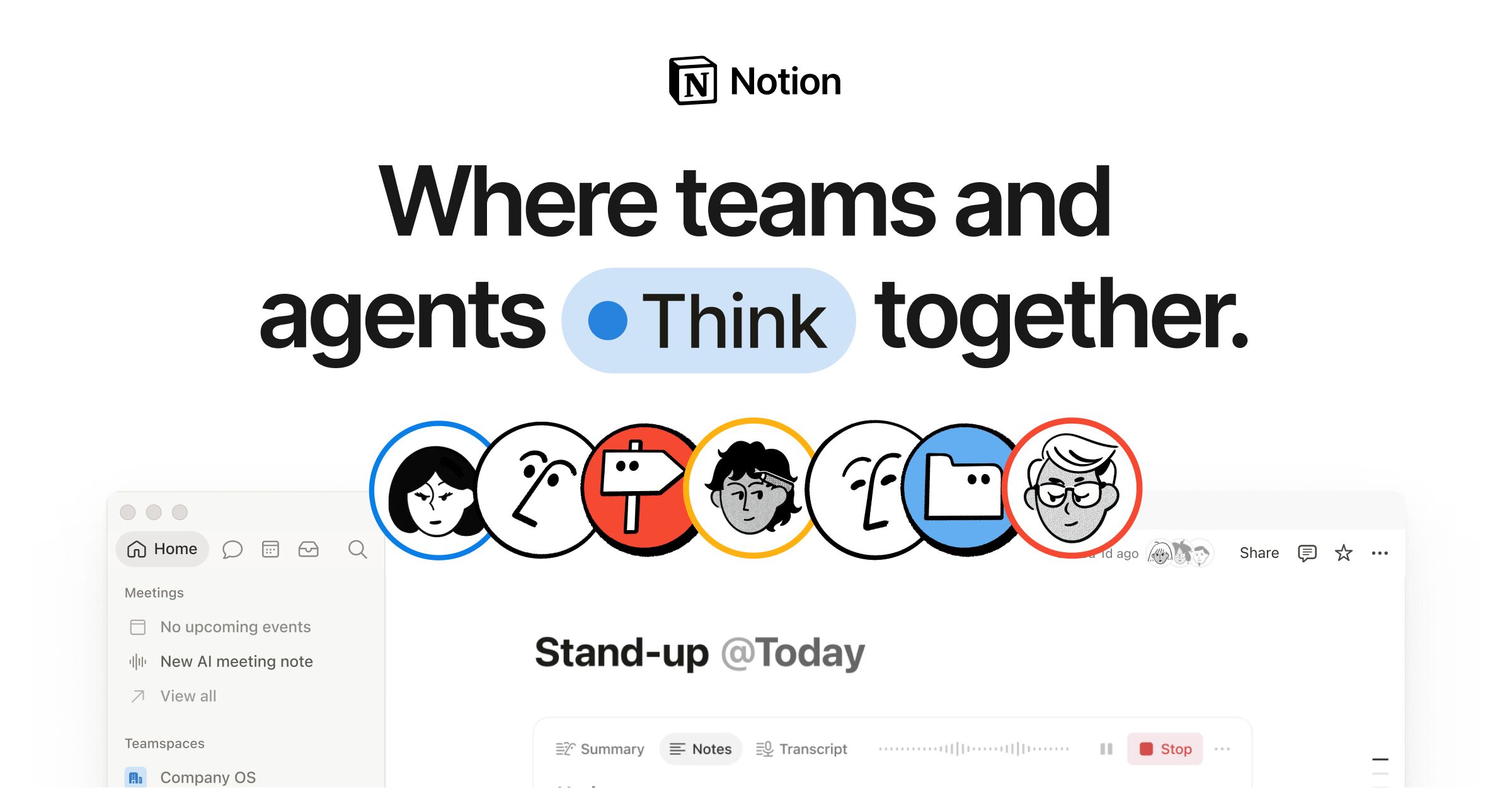
Image source: Notion official site
Evidence-backed brief for teams comparing solutions for building connected wikis docs and AI workspace apps for teams. Vendor claims are labeled. X items are summaries with permalinks — not a satisfaction score. No product prices.
Company and product
Notion presents itself as "The AI workspace that works for you" on its home page (vendor-stated). The company documents its product lines on separate official pages: an AI page titled "Meet your AI team," a wikis page titled "Your connected workspace for wiki, docs & projects," a docs page, and a projects page.
The through-line in Notion's own page titles is a single connected workspace rather than separate tools for knowledge and work: the wikis and projects pages share the same "connected workspace for wiki, docs & projects" title. Notion also publishes a Customer Stories section where organizations describe their own setups.
For teams evaluating the product, Notion maintains an About page titled "Why we built Notion," which states the company's own rationale for the product, and a general product page. Sources here are limited to Notion's official site pages listed above; specific feature behavior should be confirmed on those pages before rollout.
What buyers usually evaluate
| Capability | Official / evidence-backed description |
|---|---|
| Notion AI | Notion hosts a dedicated AI page at https://www.notion.com/product/ai titled "Meet your AI team," positioning AI as part of the workspace experience (vendor-stated framing). |
| Wikis | A dedicated wikis page at https://www.notion.com/product/wikis is titled "Your connected workspace for wiki, docs & projects," placing wiki content in the same workspace as docs and projects (vendor-stated). |
| Docs | Notion maintains a separate Docs page at https://www.notion.com/product/docs covering document creation within the workspace. |
| Projects | A Projects page at https://www.notion.com/product/projects shares the "connected workspace for wiki, docs & projects" title, indicating project work sits alongside knowledge content (vendor-stated). |
| Single connected workspace | Across the home page (https://www.notion.com/) and the wikis page (https://www.notion.com/product/wikis), Notion frames the product as one workspace for AI, wiki, docs and projects rather than separate tools (vendor-stated). |
| Customer stories | Notion publishes organization stories at https://www.notion.com/customers, which teams can read to see how others structure their workspaces (vendor-published material). |
Primary official entry: notion.com.
Needs it solves
Job-to-be-done: building connected wikis docs and AI workspace apps for teams.
- Build a team wiki that stays connected to docs and projects — Notion's wikis page is titled "Your connected workspace for wiki, docs & projects" (https://www.notion.com/product/wikis), which frames wiki pages as living inside the same workspace as written docs and project work instead of a standalone knowledge base.
- Write and maintain team documents inside the same workspace as the wiki — The Docs page at https://www.notion.com/product/docs covers document authoring as its own product area, and the shared wikis/projects page title groups docs with wiki and projects, so documentation does not require a separate tool from the knowledge base (vendor-stated).
- Add AI assistance to everyday team workspace work — Notion's AI page at https://www.notion.com/product/ai is titled "Meet your AI team," presenting AI as a component of the workspace rather than an add-on product; the home page repeats the "AI workspace" framing at https://www.notion.com/ (vendor-stated).
- Run team projects next to the knowledge base instead of in a separate tool — Notion lists projects as a first-class area at https://www.notion.com/product/projects, and the identical page title used for wikis and projects signals one workspace covering both project tracking and reference content (vendor-stated).
- Consolidate scattered team tools into one workspace — The home page positions Notion as "The AI workspace that works for you" (https://www.notion.com/), and the product page at https://www.notion.com/product describes the same workspace framing, which is the vendor's argument for replacing multiple point tools (vendor-stated).
- Review how other organizations set up their workspaces before adopting — Notion's Customer Stories section at https://www.notion.com/customers collects organization accounts published by the vendor, giving evaluating teams reference material before they define their own workspace structure.
- Understand the product's design intent before rolling it out to a team — The About page at https://www.notion.com/about is titled "Why we built Notion" and states the company's own reasoning behind the product, which helps a team check whether the workspace model matches how they plan to work.
Independent reviews
- G2 Learn (Is Notion Worth It?): pros: Analysis of verified G2 reviews finds buyers treat documentation and linked notes as Notion's irreplaceable core, with AI summarization cited by roughly one in five reviewers and an interface repeatedly described as clean and calming once structure exists. cons: The same review data shows adoption stalling when teams skip templates, permissions, and naming conventions from the outset, and scores support lower than ease of use, with some feedback on limited enterprise responsiveness. Best suited to teams that will design a workspace system before rollout, because the reported productivity gain arrives only after that structural work.
- G2 Learn (Obsidian vs. Notion): pros: Credits Notion with native real-time collaboration including editing cursors, @mentions, comments, and task assignment, plus filtered database views and a drag-and-drop builder the writer likens to digital Lego. cons: Reports cloud-only lag, data held in a proprietary database that is harder to export in original structure, and a blank page that can feel like a wall for new users. Positions Notion as the multiplayer team workspace and Obsidian as the private local-first notebook, so the choice turns on whether collaborative editing or file ownership matters more.
- ONES Blog (Jira alternatives with knowledge base): pros: Recommends Notion for content, product, and design teams on the strength of its page-as-database architecture, where tasks, wiki pages, and meeting notes are separate pages tied together by bidirectional links, database relations, and template buttons. cons: Warns that Kanban and Gantt views depend on database configuration and lack Jira-style agile reports and epic-level hierarchy, and that page-level permissions need a written directory convention to avoid leaks or structural mess. Best suited to doc-first teams whose knowledge work outweighs complex process control, rather than engineering organizations needing agile reporting depth.
- ClickUp Learn (Notion Review 2026): pros: After two weeks running tasks, project notes, a content calendar, and a reading log inside Notion, the reviewer rates the block editor the most flexible content system available and the database views as letting one dataset be read from several angles without duplication; the piece is published by ClickUp, a direct competitor. cons: Finds time tracking nonexistent, offline mode inconsistent, and project management surface level next to ClickUp, Asana, or Jira, with systems maintenance eating into work time. Positions Notion as an information-organizing tool rather than an execution tool, so it fits teams whose bottleneck is scattered notes rather than scheduling or dependencies.
- Lindy Blog (Notion AI alternatives): pros: Names the linked databases, slash-command block editor, and template-plus-wiki structure among six things Notion does genuinely well, noting that team wikis, SOPs, and onboarding docs come together fast enough for new hires to navigate without a walkthrough. cons: Argues Notion AI reads only content inside Notion with no access to Gmail, CRM, or Slack, and prices full AI on the Business plan at roughly [price omitted] a year for a 20-person team; the article is published by Lindy, which sells a competing AI product. Suited to teams buying Notion for docs, wikis, and databases first, with in-workspace AI treated as a bonus rather than a cross-tool assistant.
- PCMag: pros: Praises the customization ceiling, custom databases, collaboration features, and Evernote import tools, and calls the AI integration excellent. cons: Awards Notion 3.0 out of 5, citing overcomplexity for most people, no working offline access, sluggish performance, a mediocre web clipper, jargon-heavy interface copy, and missing features against Editors' Choice note apps. Best suited to software-industry knowledge workers who will actually use the database layer, since PCMag judges it hard to recommend as a general-purpose note-taking app.
- Forbes Advisor: pros: Highly recommends Notion for content creators and small teams, citing easy page building with blocks and slash commands, a forever-free plan generous enough for solopreneurs, and affordable entry pricing. cons: Lists thin advanced project management features, tedium once several projects run in parallel, and weak security features among the drawbacks. Positions Notion as an affordable all-in-one for solo operators and small content teams rather than a governance-heavy enterprise platform.
- Product Hunt: pros: The listing carries a 4.8 community rating from about 1.4K reviews and 19K followers, and its launch history shows sustained shipping through 2026 including a developer platform, custom agents, and AI meeting notes. cons: Surfaces launch announcements and community discussion rather than structured testing, so it says little about database performance at scale, permission design, or support quality. Useful as a signal that the maker community keeps building businesses and templates on Notion, not as an evaluation of whether it fits a specific team.
- ToolRadar: pros: Aggregates 407 reviews from Trustpilot, TrustRadius, and PeerSpot into a 3.5 average while crediting Notion with replacing docs, wikis, project boards, and lightweight databases in one platform, with a free tier offering unlimited pages and blocks. cons: Records a steep learning curve, degraded performance in workspaces with thousands of nested pages, offline access limited to downloaded or recent pages, no native Gantt charts, and Trustpilot complaints about being billed for users that were never added. Best suited to startups and cross-functional teams that value one source of truth over best-in-class depth per module, provided they budget time for setup.
- Worktile Solution Guide (five document tools): pros: Places Notion as the flexible workbench option for product, marketing, design, and startup teams building from zero, citing page, database, and relation views as its organizing strength. cons: Says complex permissions and large-space governance require extra design work and concludes Notion should not serve as an organization's only knowledge base; the article sits on a project-management vendor's site with its own product in the comparison. Best suited to teams under roughly 50 people whose processes are still changing, not to 100-plus engineering organizations that need audited permission hierarchies.
takeaway: Notion earns consistent praise for one thing: a flexible block editor plus linked databases that turns scattered docs, wikis, and lightweight trackers into a single searchable workspace, with templates that get a team knowledge base live quickly. The friction is equally consistent across sources — steep setup, adoption that lags without templates and naming conventions, sluggish large workspaces, unreliable offline access, and project management that thins out next to Jira or ClickUp. Buy it if your bottleneck is organizing connected knowledge for a doc-heavy team; size up before committing engineering or 100-plus-person orgs that need agile reporting, fine-grained audited permissions, or an assistant that reaches beyond Notion's own pages.
Caveats from evidence:
- Two of the hands-on sources are published by direct competitors: ClickUp Learn reviews Notion while selling ClickUp, and Lindy's article reviews Notion AI while selling a cross-tool AI agent, so both frame strengths and limits around their own product gaps.
- PCMag and Forbes Advisor evaluate Notion primarily as a note-taking or project management tool, so neither stress-tests wiki governance at scale or AI answer accuracy.
- Published prices conflict across sources because Notion restructured plans and AI packaging: Forbes lists Plus from [price omitted]/month billed annually, PCMag lists Business at [price omitted] per person monthly, ToolRadar lists Business at [price omitted] annually billed, and Lindy states full AI now requires the Business tier, so treat every figure as dated to its source's check date.
- No source in this set publishes test data on whether Notion AI respects page-level permissions, distinguishes superseded document versions, or declines to answer when source material is missing.
- The TechCrunch Notion tag page returned only navigation and unrelated headlines in the fetched excerpt, so no news reporting informed this summary.
Competitive landscape (from evidence): Comparisons in this set consistently split Notion from Obsidian on architecture: G2's Obsidian vs. Notion piece frames Obsidian as local-first plain-text Markdown for private, non-linear research and Notion as cloud-based for real-time team collaboration, and the same framing recurs in Lindy's alternative table. Against project tools, ClickUp Learn argues Notion lacks dependency, resource, time-tracking, and sprint depth versus ClickUp, Asana, and Jira, while the ONES guide agrees it lacks native agile reports and epic hierarchy and steers complex engineering orgs toward ONES or Confluence. For knowledge bases, the Worktile comparison ranks Confluence ahead of Notion on audit and space-level permissions, Coda ahead on programmable documents, and Slite and Nuclino ahead on low-friction, lightweight wikis. Pricing comparisons put Obsidian at [price omitted]/user/month versus Notion at [price omitted] in the G2 tally, and Lindy sets Notion AI's effective cost against Superhuman Docs at [price omitted] and Slite at [price omitted] per user per month.
Discussion on X
Recent search returns plentiful Notion mentions; curated operator/agent/workspace posts plus template and competitor friction. Affiliate listicles filtered down.
Praise and interest
@ibuildwith_ai · Oct 22, 2026 Reports Notion rebuilt AI agents for day-long tasks with own computer/browser and Auto model picker claiming ~90% cost cut. https://x.com/ibuildwith_ai/status/2113338658682175652
@theaidood · Oct 02, 2026 Likes Notion↔ChatGPT token sharing so drafts stay on the Notion page, but still checks which workspace the draft landed in. https://x.com/theaidood/status/2106040069840597113
@jestonlu · Oct 22, 2026 Field note on businesses running on Notion, visiting Appfarm in Oslo as an AI visual-dev shop using it behind the scenes. https://x.com/jestonlu/status/2113320216201441685
@jayzhoupro · Oct 10, 2026 Notes you can give two agents the same Notion workspace with different editing rights via an open-source proxy pattern. https://x.com/jayzhoupro/status/2108783406628937917
@axon402 · Oct 16, 2026 Agent product announcement: connect Notion so agents act in the workspace, not only return answers. https://x.com/axon402/status/2110935764854837551
@francchen · Sep 29, 2026 OpenAI Dev Day list notes Sign in with ChatGPT works inside Notion among other apps. https://x.com/francchen/status/2105079176017641887
@techamericaofcl · Oct 03, 2026 Describes operator running many agents wired to email/docs/Notion for triage and recurring work. https://x.com/techamericaofcl/status/2106423867849756767
Friction and criticism
@QWealthlabs · Oct 21, 2026 Calls static Notion docs and Drive folders a weak way to share knowledge with clients; pitches an alternative knowledge graph tool. https://x.com/QWealthlabs/status/2112910088482472337
@bald_panda0 · Oct 10, 2026 Argues Slack+Notion+Google Docs context-switching is a tax; pitches consolidating elsewhere. https://x.com/bald_panda0/status/2108846650693435635
Themes from this sample
- Praise: AI agents in workspace; ChatGPT token sharing; single source of truth docs
- Friction: context switching with Slack/Drive; static docs pain; template upsell noise
Sources
- Official: notion.com, notion.com, notion.com, notion.com, notion.com, notion.com, notion.com, notion.com
- Reviews / commentary: ClickUp Learn (Notion Review 2026), Forbes Advisor, G2 Learn (Is Notion Worth It? ), G2 Learn (Obsidian vs. Notion), Lindy Blog (Notion AI alternatives), ONES Blog (Jira alternatives with knowledge base), PCMag, Product Hunt, ToolRadar, Worktile Solution Guide (five document tools) (linked above)
- X: 12 permalinks on this page; volume signal in research notes
*Affiliate disclosure and editorial policy apply. *