How to solve AI writing assistance grammar tone and enterprise brand voice tools with Grammarly
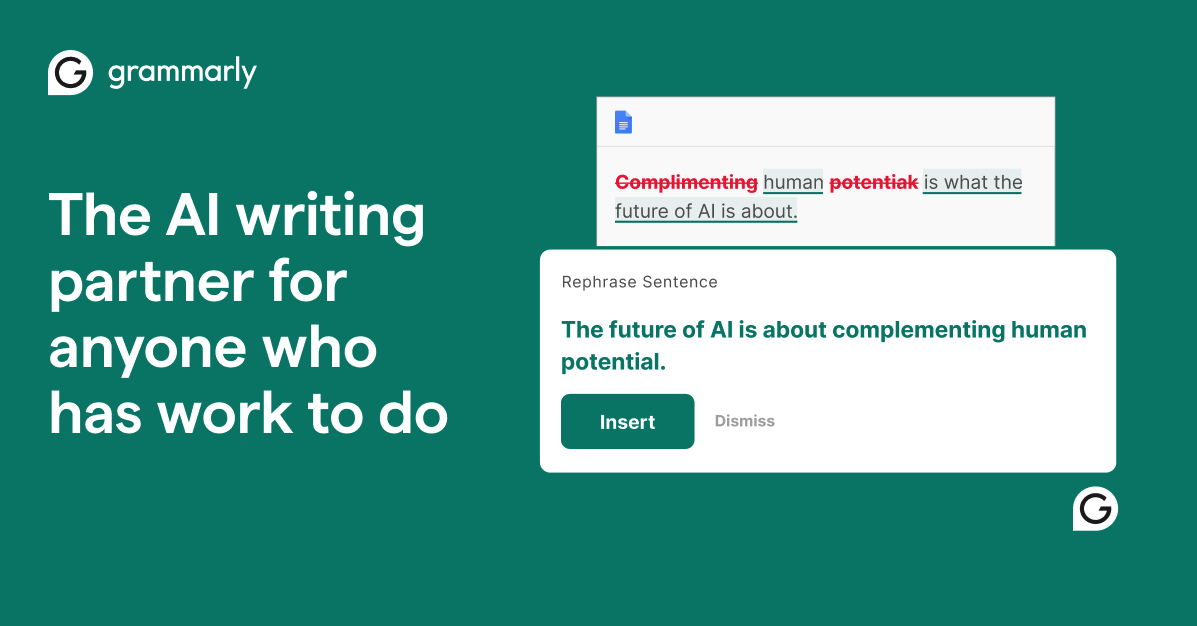
Image source: Grammarly official site
Evidence-backed brief for teams comparing solutions for AI writing assistance grammar tone and enterprise brand voice tools. Vendor claims are labeled. X items are summaries with permalinks — not a satisfaction score. No product prices.
Company and product
Grammarly presents itself as free AI writing assistance, with the homepage titled "Grammarly: Free AI Writing Assistance" and a free-tier account structure visible on the site. The company runs separate product tracks for individuals, teams, and large organizations rather than a single plan: Grammarly Pro is described in vendor language as "The Best Plan for Individuals & Teams," while Grammarly for Business is framed as "AI Writing Assistance for Teams of all Sizes. "
For larger buyers, Grammarly maintains a dedicated Grammarly for Enterprise page. Grammarly also hosts a stand-alone Artificial Intelligence (AI) at Grammarly page explaining its AI work, a Product Features index of what the product does, and an About Us page covering the company itself.
Buyers evaluating grammar, tone, and organization-wide writing standards can therefore compare three surfaces directly: the free entry point, the Pro plan page, and the Business/Enterprise pages. Feature-level specifics such as tone adjustment controls and brand-voice configuration are documented on the features and plan pages rather than in the page titles captured here, so verify exact capabilities there before standardizing on a tier.
What buyers usually evaluate
| Capability | Official / evidence-backed description |
|---|---|
| Free AI writing assistance | Grammarly's homepage is titled "Grammarly: Free AI Writing Assistance" and offers a free account tier, which the site's account data labels freemium. Vendor-stated. |
| Grammarly Pro plan | A paid plan positioned on grammarly.com/pro as the plan for individuals and teams. Vendor-stated. |
| Grammarly for Business | A team-oriented offering on grammarly.com/business, titled in vendor language as "AI Writing Assistance for Teams of all Sizes." Vendor-stated. |
| Grammarly for Enterprise | A separate enterprise track at grammarly.com/business/enterprise for large organizations. Vendor-stated. |
| AI research and product explanation | A dedicated AI at Grammarly page covers the company's artificial intelligence work; relevant for buyers who need to understand the writing engine before deployment. |
| Feature documentation index | The Product Features page lists the capabilities available across the product, serving as the reference point for what each plan includes. |
| Company background | The About Us page provides Grammarly's own account of the company, useful for procurement and vendor review. |
Primary official entry: grammarly.com.
Needs it solves
Job-to-be-done: AI writing assistance grammar tone and enterprise brand voice tools.
- Fix grammar and spelling errors in everyday writing without paying for a plan — Grammarly's homepage is built around "Free AI Writing Assistance" and the site provisions a freemium account type by default, so a writer can start with correction and clarity checks before any purchase decision. Use the free tier to establish baseline value, then compare against the Pro page if more is needed.
- Choose between Grammarly's free tier and Grammarly Pro for an individual writer or small team — Grammarly splits its offer across the free homepage and a Pro page described as the plan for individuals and teams. Reading both pages side by side is the direct way to see which capabilities sit behind the paid tier rather than relying on assumptions about what the free version includes.
- Standardize grammar and tone across a whole team's written output — Grammarly for Business is explicitly scoped to teams of all sizes and framed as AI writing assistance for groups rather than single users. That makes the Business page the starting point for a manager who wants consistent writing quality across many authors instead of one person's corrections.
- Roll out AI writing assistance across a large organization with procurement and IT oversight — Grammarly maintains a distinct Enterprise page separate from the Business page, which signals a different buying path, contracting motion, and administrative scope. Organizations with formal vendor review should evaluate that page rather than the individual plan page.
- Understand how Grammarly's AI produces suggestions before approving it for company-wide use — Grammarly publishes a dedicated AI page describing its artificial intelligence work. Review teams can use it to document what the writing engine does and to answer internal questions about AI-assisted editing before signing an enterprise agreement.
- Verify which writing capabilities a given Grammarly plan actually includes — Because Grammarly separates free, Pro, Business, and Enterprise pages, capabilities can differ by tier. The Product Features page acts as the consolidated reference to check a specific capability against the plan a team intends to buy.
Independent reviews
- G2 Learn: pros: Ranks Grammarly first among AI writing generators at 4.7, crediting a browser extension that catches grammar, tone and clarity issues across every writing platform. The praise is drawn from verified G2 user reviews rather than a lab test. cons: The same review summary says Grammarly's suggestions can feel too aggressive and flatten a writer's voice, and that the strongest AI features sit behind paid premium. It offers no detail on the editor, support, or enterprise brand-voice administration. Best suited to writers who want grammar, tone and clarity checks inside whatever app they already type in.
- PCMag (full review): pros: Rates Grammarly 4.0 Excellent for reliable grammar and spell-checking, highly customizable corrections, availability on all major platforms, and a plagiarism checker that finds matches to online sources. PCMag recommends it to both beginner and veteran writers for improving grammar and tone. cons: Flags some questionable writing suggestions that take the character out of your writing, and says the AI generator does not produce human-like prose. The review also notes the tone feature on the Free tier identifies tone without offering suggestions for changing it. Positions Grammarly as a dependable proofreader and tone checker rather than a drafting engine.
- PCMag (5-tool rewrite test): pros: In a same-draft test, the one-click Improve It rewrite returned clean text with proper grammar and a light tone, and the reviewer preferred it over prompted rewrites. The Review Suggestions panel splits changes into Correctness, Clarity and Engagement categories. cons: A custom prompt to make the email more concise stripped out all the technical detail, and a prompt to sound more professional produced a robotic coffee-shop invitation the reviewer called far too rigid. The test covers a single short email draft. Best suited to short-form work email where one-click cleanup beats a prompted rewrite.
- AI Tools That Work (Podscan.fm): pros: Credits Grammarly Business with its strongest lane, everyday writing everywhere, where style guides and brand tone profiles nudge a sales email before it leaves the inbox instead of waiting for a marketing review. It reports one style guide on Pro and unlimited guides for enterprise admins, as stated by Grammarly. cons: The episode relies on Grammarly's own product descriptions rather than a hands-on trial, and the show notes state the episode was generated with AI assistance. It also raises the honest trade-off that heavier brand control makes first drafts feel less spontaneous. Best suited to teams that want brand voice enforced quietly across email, docs and help centers rather than generated campaign copy.
- Product Hunt: pros: Across 58 user reviews at 4.7, reviewers describe Grammarly as a reliable daily aid that catches grammar, spelling, punctuation and clarity issues fast, with particular value for email, reports, documents and non-native English writers. They also praise real-time feedback and broad browser and app integration. cons: The recurring complaints are intrusive or contextually off suggestions that flatten a creative voice, a clunky extension, premium gating, and occasional performance or Google Docs problems. These are self-selected user reviews, not structured testing. Best suited to everyday business writing where fast, always-on correction matters more than creative flourish.
- Toolradar: pros: Records an aggregate 4.7 out of 5 from 21,296 reviews across G2 and Capterra, and calls the free tier generous and the [price omitted]/month Pro tier reasonably priced. It also notes users most often compare Grammarly with LanguageTool. cons: Lists premium features as expensive, suggestions that are sometimes unnecessary, and privacy concerns about cloud processing. Its figures are aggregated from review platforms and vendor pricing pages, not its own testing. Best suited to individual buyers benchmarking entry prices; team style-guide needs are not priced out here.
- AgentDock: pros: Calls Grammarly still the one to beat for real-time grammar, spelling, clarity and tone across nearly every app, with a free tier that covers more than people expect and Pro at [price omitted] a year. It frames Grammarly as the default for always-on background checking. cons: Notes that Grammarly occasionally flags fine sentences, and the page is published by the maker of Dock, which occupies the last slot on its own list, so the framing is not neutral. Style and brand-voice depth beyond error catching is not evaluated. Best suited to buyers whose only goal is fewer errors in text they have already written.
- Wordtune Blog: pros: Concedes that Grammarly is excellent at fixing mistakes and that paid plans include unlimited plagiarism checks starting at [price omitted]/month billed annually. It recommends staying with Grammarly for straightforward correction work. cons: Argues Grammarly is English-only, expensive on a tight budget, weak at creative suggestions, and unable to add emotional depth. The page is published by Wordtune, a direct competitor, so the shortcomings are framed to favor its own tool. Best suited to English-only teams; multilingual or creative-first writers are steered toward dedicated rewriters.
- Become a Writer Today: pros: In a seeded 15-error benchmark, both Grammarly Free and Grammarly Pro caught all 8 mechanical grammar and spelling errors in the 250-word test draft. The piece also documents the 2024 Premium-to-Pro rename and the 2025 rebrand of the parent company to Superhuman. cons: Reports that clarity underlines sit behind the [price omitted]/month paywall on the free tier, and the benchmark covers only 15 seeded errors in one short draft, so long-document and tone behavior goes untested. The page carries affiliate links. Best suited to buyers deciding between Free and Pro on mechanical accuracy alone, since style depth is gated.
- DIY AI: pros: Scores Grammarly 8.3/10 overall, with Integration Ease at 9.4, Speed at 9.3 and Tone Adaptability at 8.8, and argues that is why replacing it is not simply a matter of finding a checker with more reports. Its main advantage is appearing inside the places people already write. cons: Context Memory lands at 7.6 and Output Quality at 8.2, the weakest of its scored dimensions. Only three tools in the comparison carry dataset scores, and the scoring rubric is the publisher's own. Best suited to teams that value in-place integration and speed over raw generative output.
takeaway: Grammarly's independent coverage converges on one strength: fast, always-on grammar, spelling, clarity and tone checks inside whatever app you already use, with PCMag rating it 4.0 Excellent and G2 and Product Hunt users around 4.7. The consistent criticism is that suggestions can be aggressive or flatten voice, that the generative layer is shallower than a dedicated LLM, and that clarity, style guides and plagiarism sit behind roughly [price omitted] per user per month. Enterprise brand-voice controls look like the right fit for teams that want quiet consistency across email and docs, but the evidence for them is vendor-described rather than independently tested. Buyers who need manuscripts, multilingual checking or campaign copy should compare ProWritingAid, LanguageTool, Jasper and Writer before committing.
Caveats from evidence:
- Several sources are not neutral: the Wordtune blog is published by a direct competitor, and AgentDock's grammar-checker list ranks its own Dock product, so their criticism of Grammarly should be read with that in mind.
- No source in the evidence ran a controlled test of Grammarly's enterprise brand-voice style guides, admin controls, SSO or SCIM; those details come from Grammarly's own descriptions repeated in a podcast episode and in review-site plan tables.
- Pricing figures such as [price omitted] per user per month billed annually for Pro, [price omitted] a year, and custom Enterprise pricing are what review sites read from vendor pages at various dates, so confirm current rates before quoting them.
- The Gigazine data-opt-out report is from August 2023 and predates the 2025 renaming of the parent company to Superhuman, which PCMag, Podscan and Become a Writer Today all document.
Competitive landscape (from evidence): LanguageTool is repeatedly named the free multilingual pick, with a generous free tier and an open-source rule core, against Grammarly's English-only limits noted by Wordtune and Become a Writer Today. ProWritingAid is the long-form and manuscript alternative, offering pacing, repetition and consistency reports that Grammarly does not, though reviewers call it slower and more complex. QuillBot and Wordtune compete on paraphrasing and sentence-level rewriting, with Wordtune claiming multilingual support Grammarly lacks. Jasper is positioned for marketing campaign copy with brand voice rules, and Writer for governed, regulated enterprise work, while the Podscan episode casts Grammarly Business as the always-on lane marker for everyday writing. ChatGPT and Claude appear as flexible editors that explain rules and restructure arguments but have no always-on presence inside other apps; AgentDock argues Grammarly wins continuous correction while ChatGPT wins explanation. Toolradar notes buyers most often compare Grammarly with LanguageTool.
Discussion on X
Steady recent volume (~60 matching posts/week); organic mix of replace-with-free-tools, AI-feature pushback, and stack-list mentions.
Praise and interest
@AndarkFomo · Oct 19, 2026 Shares GemType as a free open-source Grammarly alternative that keeps text on your own models. https://x.com/AndarkFomo/status/2112197359354405223
@masterxe · Oct 21, 2026 Ghostwriting stack uses Grammarly Pro at [price omitted] for one-click rewrites alongside Claude drafts. https://x.com/masterxe/status/2113015014051492106
@Shubhambais05 · Sep 30, 2026 Lists Grammarly as a phone AI workstation tool for better messages on iOS/Android. https://x.com/Shubhambais05/status/2105340631812112486
@allaipedia · Sep 02, 2026 Overview post on Grammarly AI going beyond grammar into rewriting and generation, with tradeoffs. https://x.com/allaipedia/status/2095114262930735200
@all_future_AI · Sep 10, 2026 Compares Grammarly (grammar/clarity/tone) vs QuillBot (paraphrase/summarize/detection) for 2026. https://x.com/all_future_AI/status/2097946424759488656
@Faithkleham · Aug 22, 2026 Defends Grammarly/Quillbot/Microsoft Editor as editing tools rather than generative AI sentence builders. https://x.com/Faithkleham/status/2091238976677945644
Friction and criticism
@Eric_Smith08 · Sep 01, 2026 Replaced Grammarly Premium ([price omitted]/mo) with Microsoft Editor and Google built-in grammar tools. https://x.com/Eric_Smith08/status/2094804085434376217
@Mochi_Colors · Sep 03, 2026 Keeps Grammarly for grammar/spelling only and refuses AI rewrite features after a bad experience. https://x.com/Mochi_Colors/status/2095310023350239335
@noxschu · Oct 17, 2026 Wants to quit Grammarly over AI concerns but struggles to find an instant grammar checker alternative. https://x.com/noxschu/status/2111262878879858847
@Born2ai_ · Aug 12, 2026 Free-vs-paid list swaps Grammarly Pro for QuillBot among common expensive software replacements. https://x.com/Born2ai_/status/2087690484353503508
@Tec_Nexven · Aug 04, 2026 Another free-tool roundup positions QuillBot as the Grammarly Pro alternative. https://x.com/Tec_Nexven/status/2084486306512384046
@lndfour · Oct 15, 2026 Switched from Grammarly to QuillBot for grammar fixes but worries both still count as AI. https://x.com/lndfour/status/2110568508702724209
@Arzu_with_Ai · Oct 24, 2026 Paid-vs-free alternatives post lists Grammarly Premium among tools people overpay for. https://x.com/Arzu_with_Ai/status/2113911963403329697
Themes from this sample
- Praise: still used for grammar/spelling across apps; cheap Pro add-on in ghostwriting stacks; mobile writing assist
- Friction: replaced by Microsoft Editor / Google built-ins; users disable AI features or seek FOSS alternatives; privacy/local-model alternatives gaining interest
Sources
- Official: grammarly.com, grammarly.com, grammarly.com, grammarly.com, grammarly.com, grammarly.com, grammarly.com, grammarly.com
- Reviews / commentary: AI Tools That Work (Podscan. fm), AgentDock, Become a Writer Today, DIY AI, G2 Learn, PCMag (5-tool rewrite test), PCMag (full review), Product Hunt, Toolradar, Wordtune Blog (linked above)
- X: 13 permalinks on this page; volume signal in research notes
*Affiliate disclosure and editorial policy apply. *