How to solve scheduling meetings without email back-and-forth with Calendly
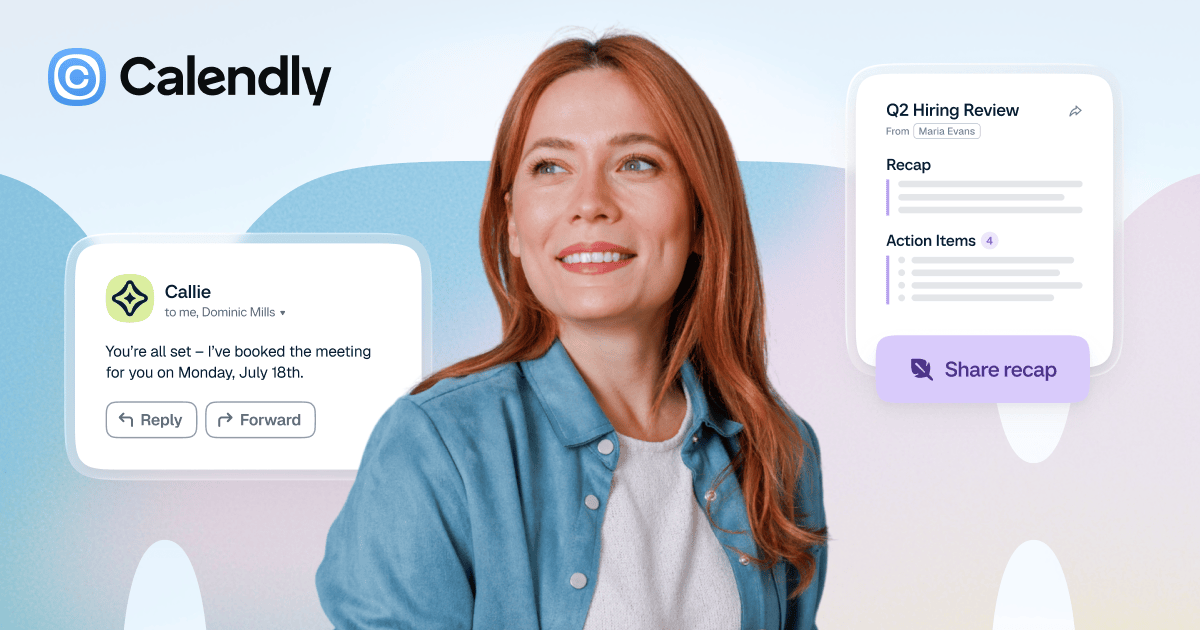
Image source: Calendly official site
Evidence-backed brief for teams comparing solutions for scheduling meetings without email back-and-forth. Vendor claims are labeled. X items are summaries with permalinks — not a satisfaction score. No product prices.
Company and product
Calendly is a meeting scheduling software vendor. The company's homepage describes Calendly as "Meeting Scheduling Software and AI Meeting Tools" and links to a login at calendly.com/app/login for account holders. Calendly's organization profile lists its social channels on X, Facebook, Instagram, YouTube and LinkedIn, and uses the logo hosted at calendly.com/media/logo.svg.

Product information is organized on Calendly's site around scheduling topics: an automated scheduling software page, separate pages for availability, routing and workflows/automated communication. Each of these is a distinct Calendly product page rather than a blog entry, which places scheduling automation at the center of the offering.
Calendly also publishes an About Us page and a Customer Stories page where the vendor collects accounts from organizations using Calendly. Company background and outcomes for specific customers are stated by Calendly on those pages.
Material claims on this page come from Calendly's own site. Where a description reflects Calendly's wording rather than an independently verified detail, it is marked as vendor-stated.
What buyers usually evaluate
| Capability | Official / evidence-backed description |
|---|---|
| Automated scheduling software | Calendly maintains a dedicated page titled "Automated scheduling software" at calendly.com/scheduling, which the vendor positions as the core product for booking meetings without a manual exchange of times. (Vendor-stated) |
| Availability settings | A separate Availability page at calendly.com/scheduling/availability covers how a Calendly user defines when they can be booked, so the booking page reflects the user's working hours. |
| Routing | Calendly Routing has its own product page at calendly.com/scheduling/routing, listed by the vendor alongside its other scheduling products. |
| Workflows for automated communication | The page at calendly.com/scheduling/automated-communication is titled "Workflows" and covers automated messages tied to scheduled meetings. (Vendor-stated) |
| AI meeting tools | The Calendly homepage title includes "AI Meeting Tools" alongside meeting scheduling software, indicating that AI-assisted meeting functions sit within the same product offering. (Vendor-stated) |
| Account access and customer stories | Existing users sign in at calendly.com/app/login, and Calendly publishes named-account narratives on its Customer Stories page. |
Primary official entry: calendly.com.
Needs it solves
Job-to-be-done: scheduling meetings without email back-and-forth.
- Book a meeting from a shared link instead of trading times by email — Calendly's scheduling product is built around a booking page rather than a message thread. The automated scheduling software page is the entry point, and invitees pick a slot from that page instead of replying with proposed dates.
- Publish only the working hours you are actually free — The Availability page covers setting the windows in which you can be booked. Those settings define what a booking page offers, so invitees see workable slots rather than the full calendar.
- Direct an incoming scheduling request to the right person or calendar — Calendly Routing, documented at calendly.com/scheduling/routing, is a separate product page in the scheduling line. It addresses what happens when a booking should not simply land on one person's calendar.
- Send confirmations and follow-ups without writing them each time — The Workflows page at calendly.com/scheduling/automated-communication covers automated communication that runs around a scheduled meeting, replacing manual confirmation and reminder emails. (Vendor-stated)
- Keep one scheduling setup for every meeting type you host — Calendly organizes its scheduling products under calendly.com/scheduling, with availability, routing and workflows as named parts of the same system. A user configures these once and reuses them across bookings.
- See how other organizations handle inbound meeting requests — Calendly's Customer Stories page collects accounts from organizations using the product, and the About Us page covers the company behind it. Both are vendor-published sources for evaluating fit before signing up at calendly.com/app/login.
- Give invitees a booking experience on any device without extra software — Booking happens through a Calendly page reached from a link, so the invitee does not need an account to pick a time; only the host signs in, at calendly.com/app/login. The scheduling page itself is the Calendly scheduling product.
Independent reviews
- G2 Learn: pros: Picks Calendly as the best tool for frictionless client scheduling, crediting automated booking with CRM integration and smart routing for removing the email back-and-forth. cons: The Calendly entry is a short pick blurb inside a nine-tool list, with no testing of routing rules, CRM sync behavior, or the free plan's one-calendar limit. Best suited to client-facing individuals and small teams that want a booking link invitees can use without instruction.
- G2 Learn: pros: Names Calendly Sales the pick for simple, client-facing scheduling because clients and prospects can book time without a back-and-forth thread. cons: Gives Calendly a one-line rationale inside a six-tool list and offers no criticism of its pricing, per-seat costs, or routing depth. Positions Calendly Sales as the low-friction booking option for revenue teams rather than a lead-routing engine.
- Toolradar: pros: Ranks Calendly the best all-around free pick, citing one connected calendar, unlimited one-on-one bookings and meeting polls at [price omitted] and the deepest integration bench in the category across Zoom, Meet, Teams, HubSpot and Salesforce on paid tiers. cons: Flags that the free plan caps you at one connected calendar and one event type, thin for anyone juggling a work and a personal calendar, and keeps team scheduling, round-robin routing and CRM sync behind the Teams plan. Best suited to solo professionals and freelancers who want a booking link nobody has to explain and can live with a single calendar.
- Toolradar: pros: Lists Calendly at 4.7 across G2 and Capterra from 6,801 ratings with a [price omitted]/month entry point, and frames the category as essentially Calendly versus Cal.com versus whatever ships bundled with HubSpot or Salesforce. cons: Ranks Google Calendar as both the overall and the free pick ahead of Calendly, and calls out that routing forms, which direct invitees to the right person, require the Teams plan at [price omitted]/seat/month. Fits teams that should budget for the Teams tier, because the routing feature buyers actually want is not on the entry plan.
- LeadAngel: pros: Describes Calendly as one of the easiest scheduling tools, with a shareable link that ends availability email threads and integrations with Google Calendar, Outlook, Zoom, Salesforce and HubSpot. cons: Calls the CRM integration quite basic, noting that cancellations and reschedules need manual updates and that forms outside HubSpot, Marketo or Calendly's own generally require third-party add-ons or extra manual setup. Best suited to smaller teams that want fast booking, not teams whose scheduling depends on tight CRM hygiene across many form types.
- ZoomInfo Pipeline: pros: Credits Calendly's simplicity as the product's core strength — connect a calendar, share a link, let invitees pick a slot in their own time zone — and cites a clean, intuitive interface as the reason users rate it 4.7/5 on Capterra across thousands of reviews. cons: Says Calendly's routing works but was not designed for high-volume B2B demand conversion, and that branding and advanced lead-matching options are narrower than specialized demand-conversion tools. Positions Calendly as the friction-removal layer in a sales stack and leaves multi-step inbound qualification to specialized converters.
- Product Hunt: pros: Across 28 reviews at 4.6, users describe Calendly as dependable and easy, praising the calendar and Zoom integrations, time-zone handling, and reuse for client calls, demos, consulting and everyday meeting requests. cons: The same reviewers cite a dated or unintuitive interface, limited flexibility for complex scheduling, gaps around notifications, customization and editing shared links, occasional booking conflicts, and thin post-booking features like follow-ups or notes. Best suited to individuals and small teams booking straightforward calls, not to admins who need notification control or unusual scheduling rules.
- HubSpot App Marketplace: pros: Reviewers on the listing, which averages 3.6 from 195 ratings, say the interface causes few problems and that a Calendly booking lands on the right person's contact card in HubSpot. cons: Reviewers ask for control over which appointments sync, such as limiting sync to certain employees or blocking automatic contact creation, and report that cancellations and no-shows do not update the HubSpot meeting record. Treat Calendly's HubSpot sync as booking creation rather than a full meeting-outcome log until it is validated against your own workflow.
- SpotSaaS: pros: Argues the free plan is a genuinely usable product on its own — one event type, one calendar connection, no time limit — and calls calendar sync and time-zone handling the standout feature that works with minimal setup. cons: Warns that per-seat pricing adds up fast for larger teams and that core CRM and routing features unlock only when you pay for every seat, not just the seats that need them; the piece is a pricing-and-feature analysis without recorded hands-on testing. Best suited to individuals and small recruiting, sales or customer success teams that map free-tier limits before rolling it out.
- Ivri Tech: pros: Groups Calendly Teams with the short list, alongside Chili Piper and RevenueHero, of tools that can screen a lead and check CRM ownership before a slot is offered. cons: Does not score Calendly's features or pricing in detail, because the article's argument is about where scheduling ends and routing begins. Reach for Calendly Teams only when qualification and ownership checks matter, since plain schedulers that skip them cost far less.
takeaway: Calendly earns its position by doing the simple thing well: one link, real availability, time zones handled, and a free tier that actually books unlimited one-on-one meetings. The consistent criticism is not about that core loop but about where it stops — one calendar and one event type free, routing forms and round-robin behind the [price omitted]/seat Teams tier, per-seat costs that scale with headcount, and HubSpot sync that creates meetings without updating cancellations or no-shows. Buyers with a calendar problem get a safe pick; buyers with a lead-routing or CRM-hygiene problem should look at Chili Piper, Cal. com or a CRM-native scheduler instead. Watch the ratings gap between G2 and Capterra aggregates and the HubSpot marketplace listing, since the lower scores come from teams using the integration in production.
Caveats from evidence:
- Ivri Tech documents that the highest-ranking editorial listicles for this category are written by scheduling vendors ranking their own product first, so several comparison pages in this evidence are commercially interested.
- The G2 Learn pages carry a notice that responses are AI-generated and may contain inaccuracies, so their picks read as aggregated review signals rather than tested verdicts.
- Quoted pricing shifts by billing term and source: Toolradar lists Standard at [price omitted]/seat/month, SaaSworthy lists [price omitted]/month billed annually, and SpotSaaS puts Teams at [price omitted]/seat/month billed annually.
- Calendly's ratings differ sharply by surface — 4.7 across G2 and Capterra in Toolradar's aggregate versus 3.6 from 195 ratings on the HubSpot app listing, where the reviewers are paid-tier users running CRM sync.
- No source in this evidence measures hours saved or booking conversion for Calendly with a controlled test; the time-savings claims are user-reported or vendor-framed.
Competitive landscape (from evidence): Chili Piper is the recurring head-to-head: LeadAngel and ZoomInfo describe it routing on CRM ownership, territory and rep availability, while The AI Agent Index prices it at about [price omitted]K/year on annual-only contracts and tells small B2B sales orgs to use Calendly, HubSpot Meetings or Cal. com instead until they reach mid-market scale. Toolradar ranks Cal. com as the open-source alternative with unlimited event types and calendars free for one user and Teams at [price omitted]/user/month, puts Doodle at one free live poll with a 3.2 rating, and lists TidyCal at a [price omitted] one-time fee, Setmore free for up to four people, and Google Calendar as its overall meeting-scheduling pick.
Discussion on X
Strong mix of DIY replacements, phishing-on-real-Calendly warnings, customization gaps, and founder lore—not only listicles.
Praise and interest
@HafsatyAura · Oct 24, 2026 Practiced Calendly + Picktime booking pages to escape WhatsApp scheduling. https://x.com/HafsatyAura/status/2113936402098303103
@tensor_fx · Oct 17, 2026 Founder story of Tope Awotona betting savings to build Calendly. https://x.com/tensor_fx/status/2111537378443538815
@maheshnani122 · Oct 02, 2026 Says LLM clones of Calendly die at distribution, not code cost. https://x.com/maheshnani122/status/2106069966512332987
Friction and criticism
@mattiaswikman · Oct 23, 2026 Looked at Calendly then built a Google Calendar booking flow with AI in ~30 minutes instead. https://x.com/mattiaswikman/status/2113674815475458305
@IBthecoder · Sep 29, 2026 Security write-up: fake journalist + real Calendly link used in phishing against a tech founder. https://x.com/IBthecoder/status/2104934222284702017
@natkohasic · Oct 06, 2026 Explains Calendly/Cal phishing: real calendly.com booking then OAuth to steal X access. https://x.com/natkohasic/status/2107477008301101120
@itsajxyg · Oct 04, 2026 Hey.com user can't add Calendly booking emails into Hey calendar—asks if bug or missing feature. https://x.com/itsajxyg/status/2106692027920572907
@idea_streamAI · Oct 07, 2026 Claims Calendly lacks true multi-calendar sync; frames scheduling market opportunity. https://x.com/idea_streamAI/status/2107803335008895474
@rst_cloud · Oct 15, 2026 Threat note: fake Calendly Meta Careers pages steal Facebook/Google logins. https://x.com/rst_cloud/status/2110751496270684506
Themes from this sample
- Praise: easy booking pages; category standard; founder origin story
- Friction: phishing via real Calendly links; customization gaps; DIY/AI calendar builds
Sources
- Official: calendly.com, calendly.com, calendly.com, calendly.com, calendly.com, calendly.com, calendly.com, calendly.com
- Reviews / commentary: G2 Learn, HubSpot App Marketplace, Ivri Tech, LeadAngel, Product Hunt, SpotSaaS, Toolradar, ZoomInfo Pipeline (linked above)
- X: 12 permalinks on this page; volume signal in research notes
*Affiliate disclosure and editorial policy apply. *